Receipts in, money back.
Staff, board members and speakers snap their receipts while travelling. AI reads amount, VAT and shop and books the G/L account and cost centre. Accounting checks, the director approves, the treasurer releases one payment run, and it all lands in your ERP.
Opens as Jonas Brandt, who travels for the society · sample data, nothing is charged
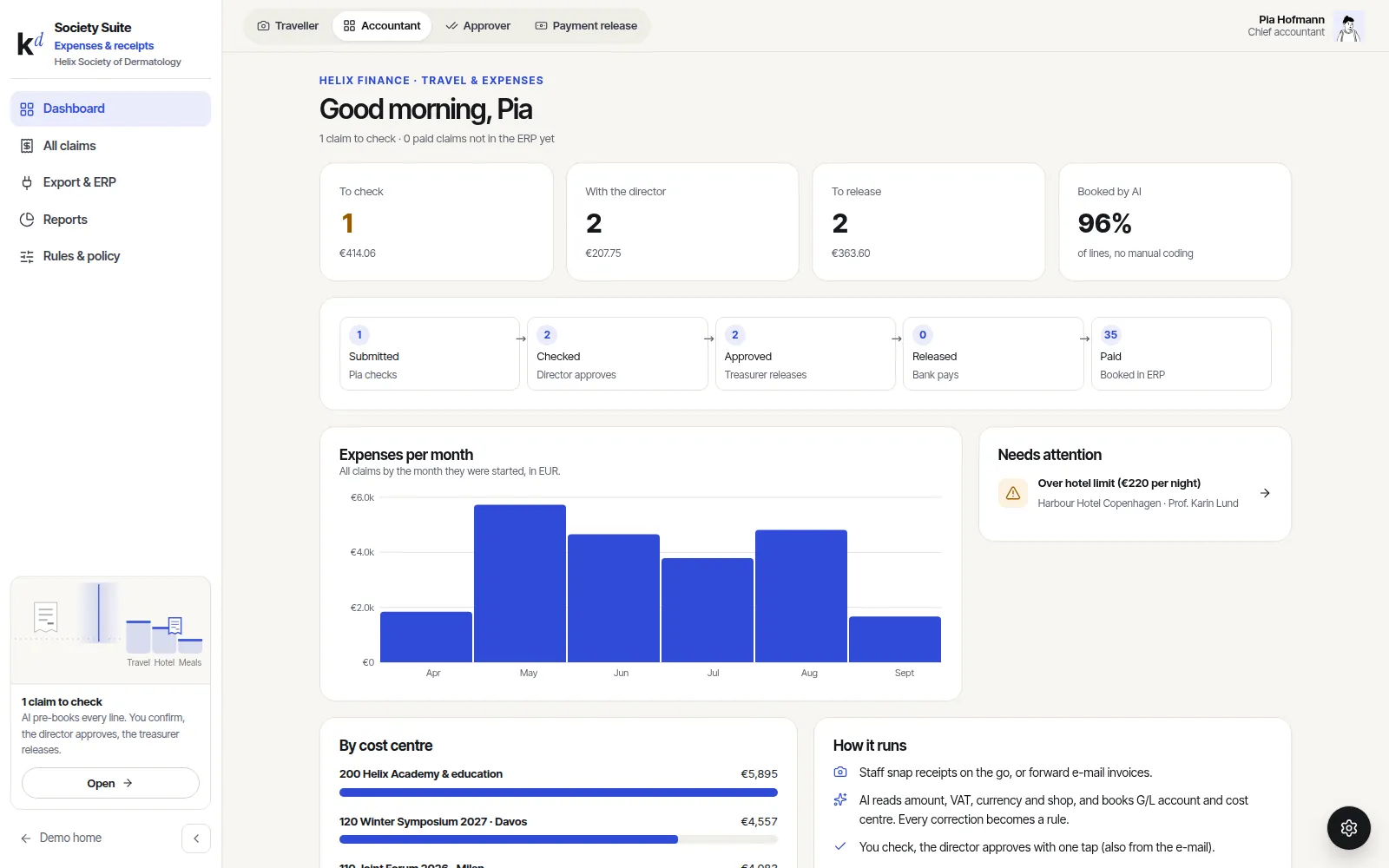
Expenses & receipts, in short.
Snap and forget
A photo right after paying, an upload or an e-mail forward. The paper can go in the bin.
AI books it
Amount, VAT, currency and shop read from the receipt, G/L account and cost centre suggested. Every correction becomes a rule.
Clear approvals
Accounting checks, the director approves with one tap, the treasurer releases. Nobody approves their own claim.
Straight to the ERP
One bank file for the payment run, journal entries with the receipt attached, or a CSV your auditor opens in Excel.
Real screens, sample data.
Everything below is clickable in the live demo. Nothing is charged and nothing is sent.
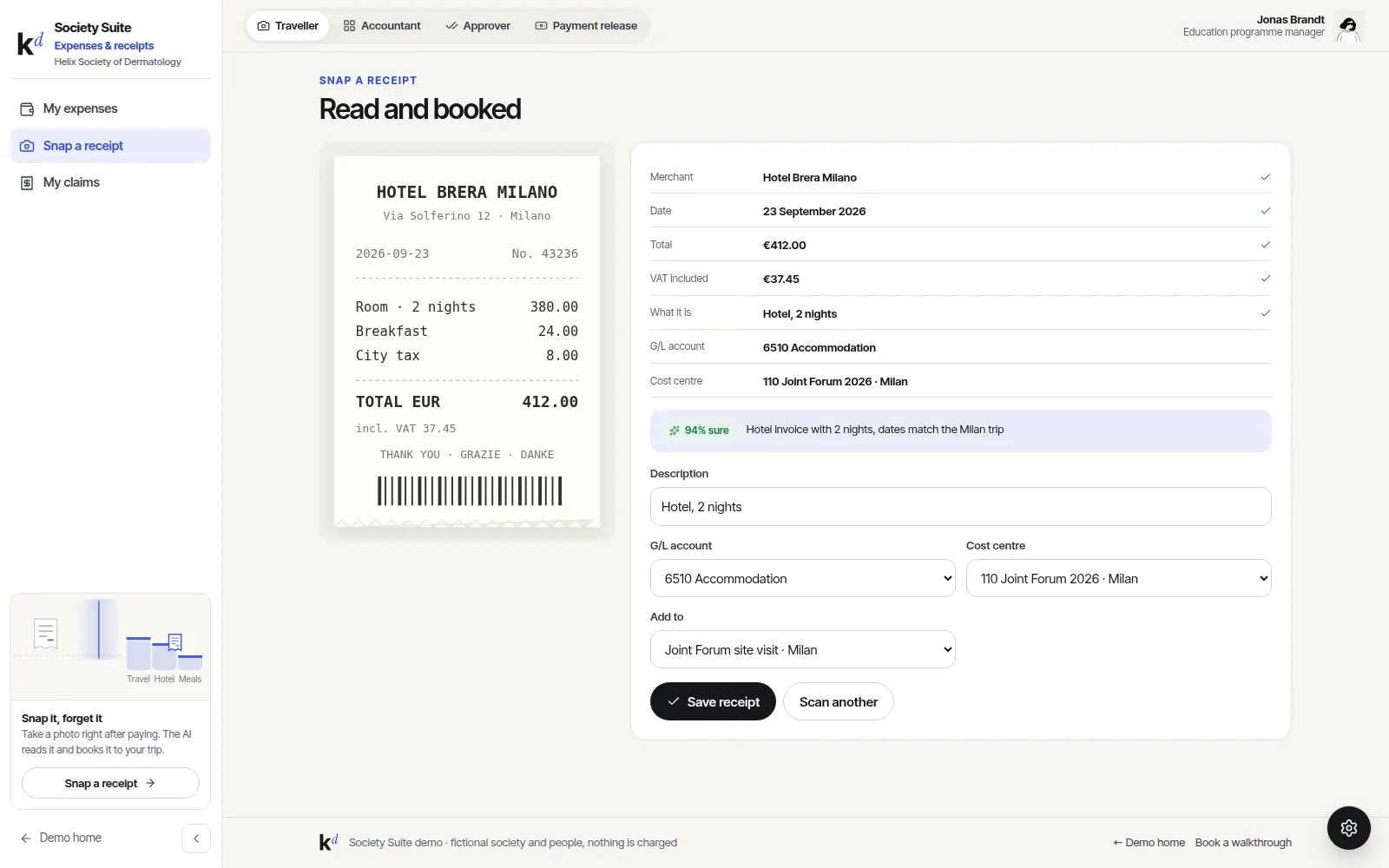
A receipt read in a second
Take the photo and watch the fields fill in. The AI says how sure it is and why it chose the account, and flags what policy needs, like guest names for a dinner.
- Receipts in any currency, converted to EUR
- Policy checks: hotel and meal limits, duplicates
- Mileage without a receipt
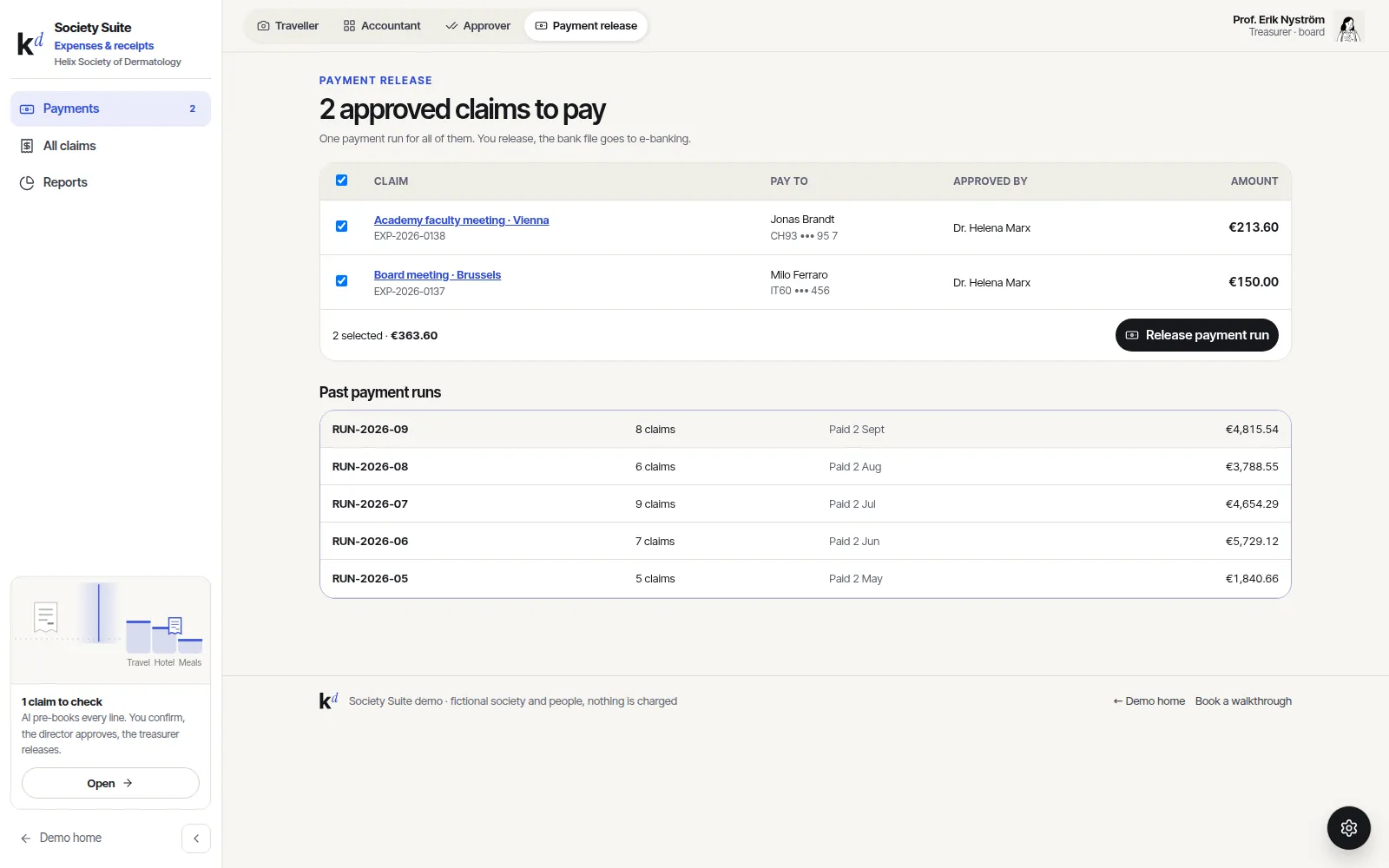
One payment run, four eyes
Approved claims wait for the treasurer. Select, release, and download one bank file for e-banking. Checked, approved and released by three different people.
- ISO 20022 payment file (pain.001)
- Bank confirmation marks claims as paid
- Reports by cost centre, person and trip
Live in weeks, not months.
- 01Map your policy
Limits, who approves what, which cost centres and accounts.
- 02Connect the ERP
Accounts and cost centres come from your finance system.
- 03Invite people
Staff, board and speakers get a link, no training needed.
- 04Go live
First claims in the same week, rules improve as you go.
Good to know.
Which ERP systems work?
Business Central, SAP Business One, Abacus, Bexio, Xero and DATEV by file. Others through CSV or the API.
Is the AI allowed to decide?
No, it only suggests. Accounting confirms every claim, and each change is logged.
Can speakers and board members use it?
Yes, with a simple link. They only see their own claims and get paid to their bank account.
Click through it before we talk.
The demo runs a made-up society with sample data. Switch between the member, organiser, partner, group and finance views with the settings button.